Used by 3,400+ teams at agencies and startups
One workspace. Every project, tracked.
Most small teams stitch together four separate subscriptions to run one project. This replaces all of them — for $12 a seat.
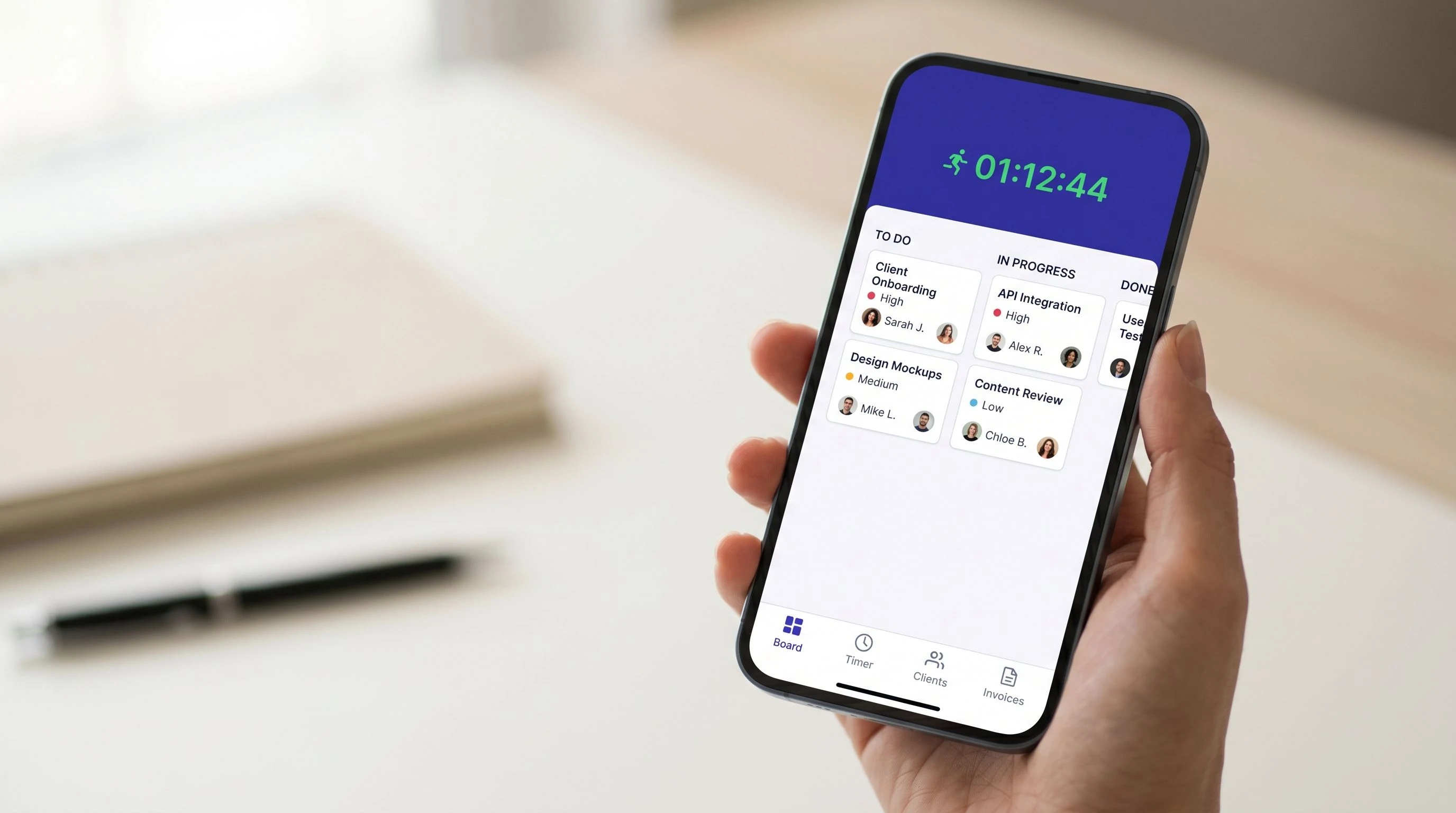
Watch your Kanban board, time tracker, client portal, and invoice builder work as a single system. No tab-switching. No data-entry duplication.
Free plan available with no time limit
Trusted by teams who ship
See the whole workflow — from task to invoice — without switching tabs
Four core capabilities, one connected system. Scroll through to see each one working on a real project.
Kanban boards
Build your board around the way your team actually works.
Time tracking
Start a timer from inside any task with one click.
Client portals
Give each client a branded space to see project progress.
Invoicing
Pull logged hours into an invoice in one click.
Kanban boards
Build your board around the way your team actually works — not the other way around. Custom columns, swimlanes by assignee or client, and task automations.
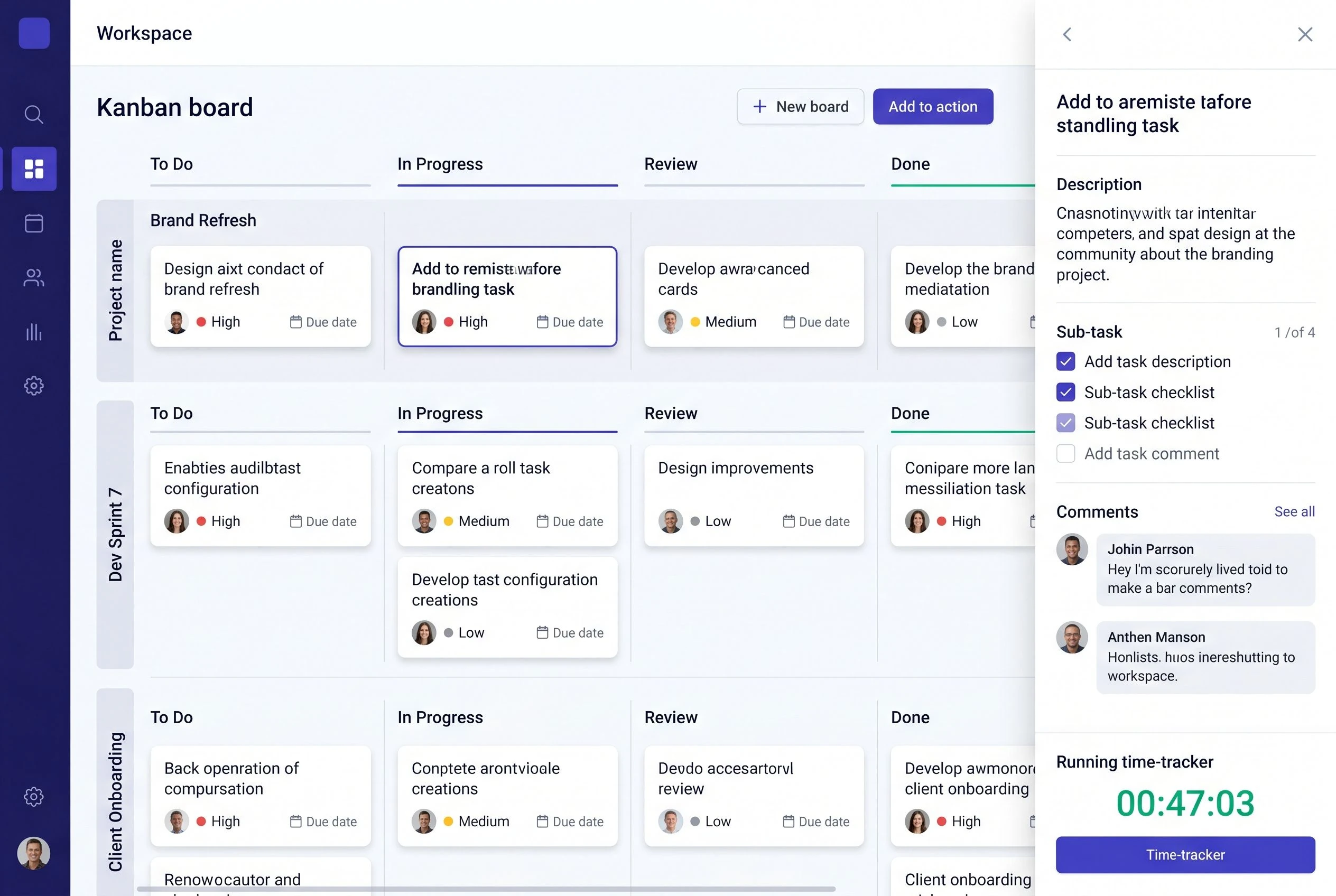
Kanban board with swimlane view and task detail panel — drag tasks across custom columns, set due dates, attach files, and trigger automations without leaving the board.
Time tracking
Start a timer from inside any task with one click. Every second logged is automatically tagged to the right project and client.
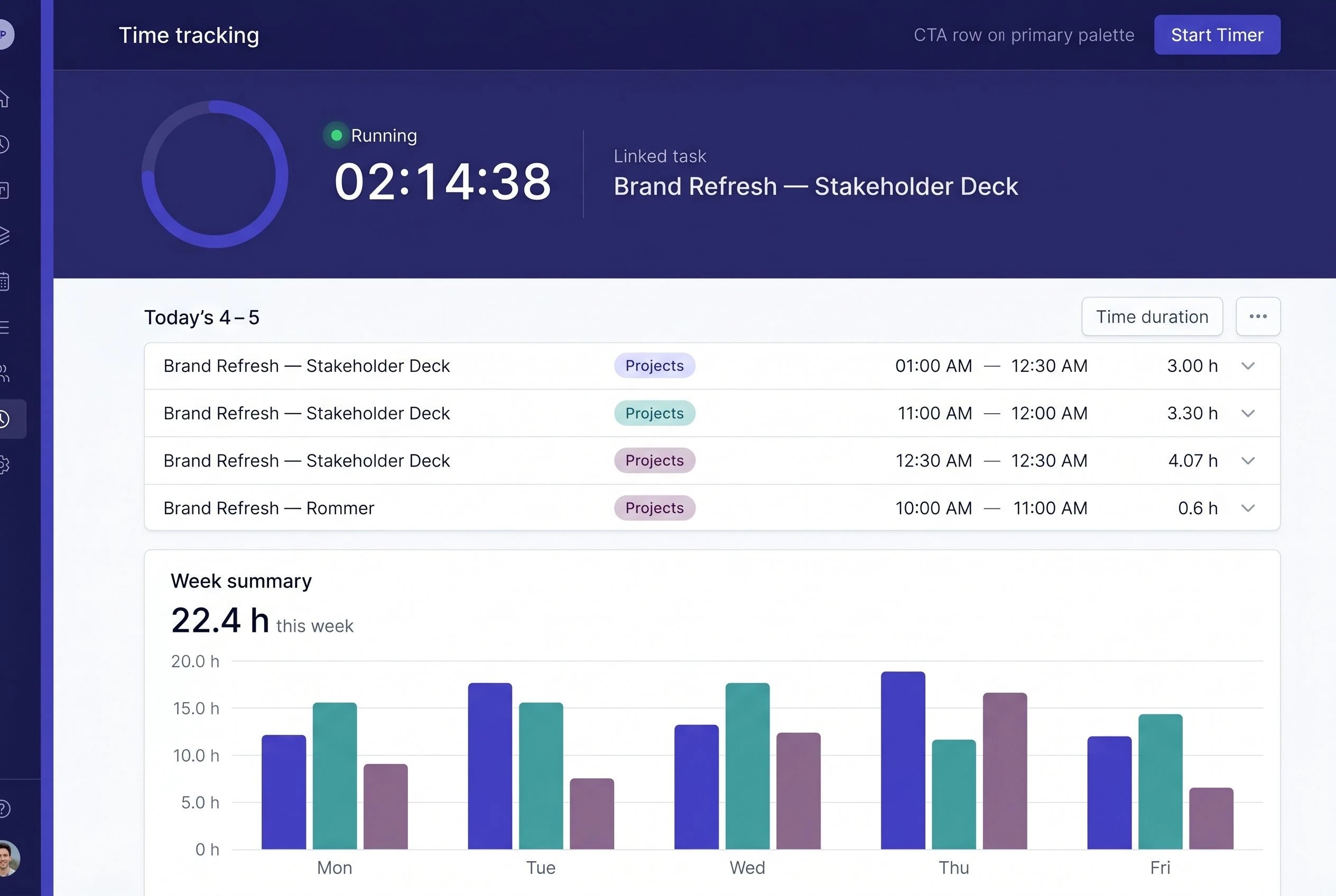
Time tracking view with running timer and weekly hour breakdown — every log is tied to a task, a project, and a client automatically.
Client portals
Give each client a branded space to see project progress, leave comments, and download deliverables. Status-update emails become optional.
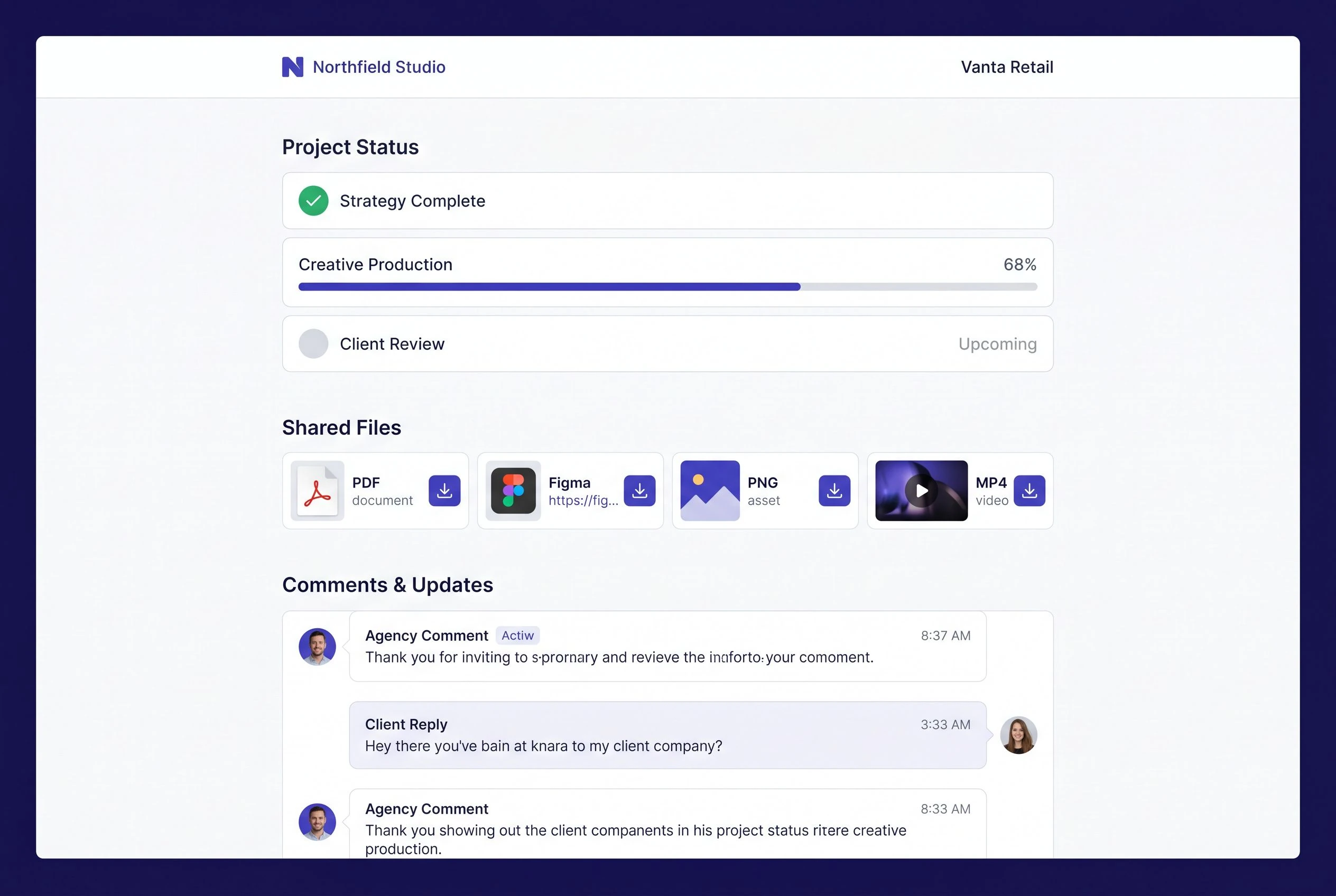
Client portal as your client sees it — project milestones, shared files, and a comment thread. Branded with your logo, not ours.
Invoicing
At the end of a project, pull all logged hours into an invoice in one click. Line items populate from your time entries — no manual entry.
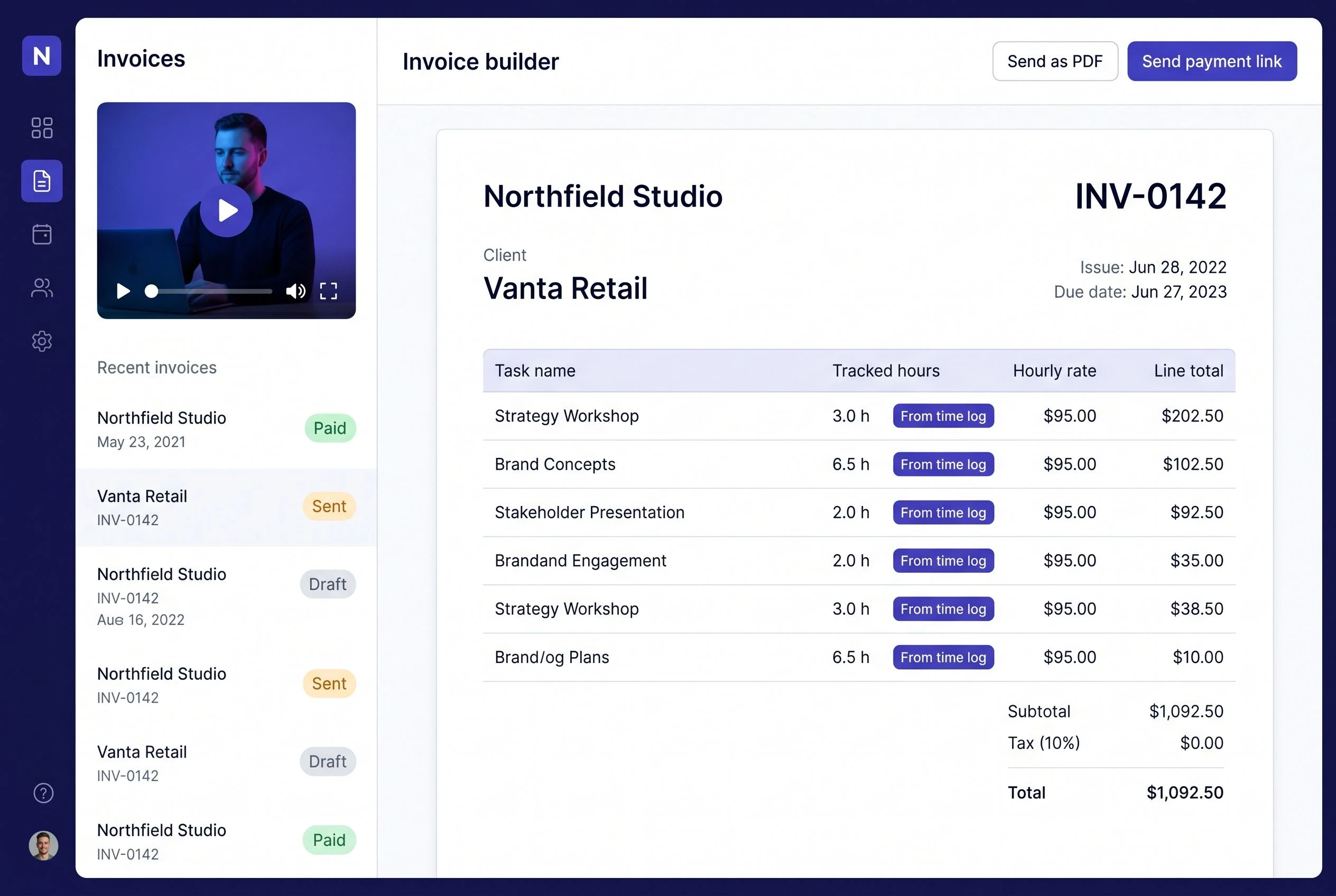
Invoice builder with line items auto-filled from time entries — review, adjust if needed, then send as a PDF or a shareable payment link.
Most small teams pay for four tools to do what this does in one
The average agency running a PM tool, a time tracker, a client communication layer, and invoicing software spends $74 per seat per month across those subscriptions — before accounting for the hours lost moving data between them.
Your current stack
-
Project management tool$18
-
Dedicated time tracker$12
-
Client communication$20
-
Invoicing software$24
This workspace
-
Kanban boards with automationsIncluded
-
Automatic time trackingIncluded
-
Branded client portalsIncluded
-
Invoicing with online paymentIncluded
Our survey of 847 teams found they spend an average of 3.2 hours per week per person switching between apps, reformatting exports, and manually reconciling time logs against invoices. At a 10-person agency, that gap is $620 a month. Over a year, it funds a new hire.
Every capability a small team needs — none you don't
No feature-padded tiers designed to upsell you. The four pillars ship together, and the sub-features are the ones your team will actually open.
Kanban boards
Custom columns, task automations, and swimlane views by assignee, priority, or client. Due-date dependencies included.
Time tracking
One-click timer starts from inside any task. Logs attach to the right project and client automatically. Weekly and monthly summaries export to CSV.
Client portals
Each client sees their own branded portal — project status, shared files, and a comment thread. Guest access is free; it does not consume a seat on your plan.
Invoicing
Pull logged hours into an invoice in one click. Send as a PDF or a payment link. Accept card payments directly. Mark invoices paid without leaving the workspace.
Task automations
Set rules that move cards, assign tasks, and send notifications when conditions are met. No third-party automation tool required.
Guest permissions
Invite clients and external collaborators without adding them to your seat count. Control exactly what each guest can view, comment on, or edit.
PDF and link export
Export any invoice as a professional PDF or a shareable payment link. Clients can pay by card without creating an account.
Mobile apps for iOS and Android
Log time, move tasks, and reply to client comments from your phone. Every action syncs instantly across devices. The full workspace — not a stripped-down companion app.
Connects to the tools your team won't give up
60+ native integrations, plus Zapier, Make, and an open API. Your existing stack stays intact — it just feeds into one workspace instead of four.
Start free. Upgrade when you're ready. No contracts.
Three plans built around how agencies and startups actually grow — not around artificial feature limits designed to force an upgrade.
Starter
For solo founders and two-person teams getting started
- Up to 2 users — no time limit on the free plan
- Unlimited projects
- Kanban boards with up to 5 custom columns
- Manual time tracking
- 1 client portal (read-only guest access)
- 10 GB file storage
- PDF invoice export — up to 5 invoices per month
Pro
For growing teams who need all four pillars working together
- Unlimited users & projects
- Kanban boards with unlimited custom columns and automations
- Automatic time tracking — timer starts from inside any task
- Unlimited client portals with your branding
- Unlimited invoices — PDF and payment link; Stripe payments included
- Guest access — free, not counted as seats
- Mobile apps for iOS and Android
- 10 GB storage per seat
- Priority email support
Agency
For established agencies managing multiple clients with advanced billing needs
- Everything in Pro
- White-label client portals — your domain, your logo, zero mention of this product
- Advanced invoicing — recurring billing, retainer schedules, multi-currency
- Team time-tracking reports with approval workflows
- Dedicated account manager
- Priority phone and chat support with 4-hour response SLA
- SSO and advanced permission controls
- Custom data retention and export on request
Teams like yours have already replaced their stack — here is what changed
Every quote below names a concrete outcome. We do not accept "great tool, highly recommend."

"We were using Asana for tasks, Harvest for time, a shared Google Doc for client updates, and FreshBooks for invoicing. Four tools, four logins, four monthly charges. The moment we moved here, our end-of-month billing process went from something I dreaded to something I barely notice. Twelve minutes to invoice three clients. That is not an exaggeration."

"Our biggest client used to email me every Thursday asking where things stood. We set up their portal on a Tuesday. The following Thursday — nothing. They had already checked the portal themselves. I had not changed anything about how we worked; I just gave them somewhere to look."

"We had been estimating project hours in our heads and invoicing based on gut feel. Month one with automatic time tracking showed us we had been systematically undercharging one retainer client by about 22 percent. We had that conversation, adjusted the retainer, and the tool had already paid for itself several times over."

"Previously, onboarding a new client meant setting up a Notion space, sending Harvest access, sharing a Google Drive folder, and writing a welcome email explaining where everything lived. Now it is: create workspace, invite client to portal, done. We onboarded our last client in 23 minutes and they called it the most organised agency they had worked with."
Your first project board is three minutes away
No credit card. No setup call. No configuration required before you can invite your team.
Sign up, create a workspace, and invite your first team member. Your Kanban board will be waiting.
Start free — it takes 3 minutesFree plan has no time limit — upgrade only when you need to